STEP 3 Define a custom paper size
SPECIAL NOTE: Red River's card papers are NOT standard sizes, you will not find them in the your printer properties / drivers.
Go to the File Menu > Print with Preview
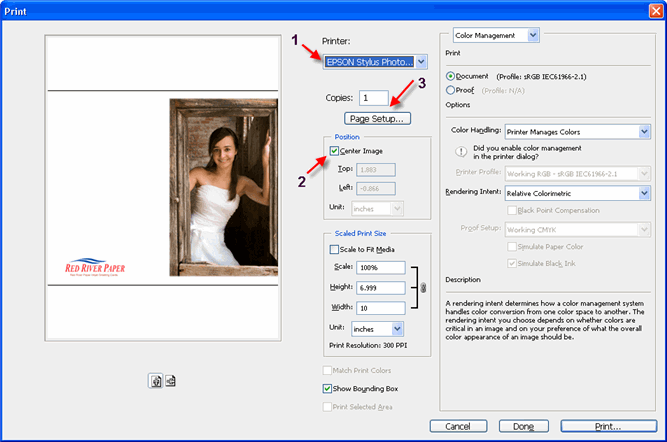 |
1) Choose your printer from the drop menu 2) Make sure the Center Image checkbox is checked in the Position area near the top of the dialog box. Check to see that Scale is set to 100% and do not check the Scale to Fit Media box. 3) Click Page Setup button near the top right of your menu. |
If you have an Epson printer click here
If you have a Canon printer click here
If you have an HP printer click here
Related Posts and Information
Last updated: February 03, 2020


