Brochures - Print Your Own - Market Yourself - Save Money

Your inkjet printer is a mini-printing press. Use it "on demand" to print any number of business, home, or school projects. With Red River Paper, you have a choice of fine inkjet media to use for brochures to market your business, help a local volunteer organization, or for whatever project is at hand.

New Tri-Fold Paper Choices

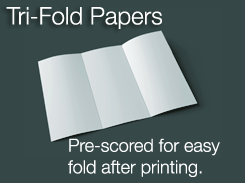
We've done the hard work for you. Each tri-fold sheet has two precision mechanical score lines already on the paper. All you have
to do is print and fold neatly along the score. Shop here

When folded, the paper looks like a traditional 3.6" x 8.5" brochure.

Pick the Right Tri-Fold Paper for You

50lb. Premium Matte Double Sided

This paper has the perfect combination of thickness and opacity. It folds easily, but you can print dense ink coverage with little show through. Works with any inkjet printer. Shop for 50lb. Premium Matte

45lb. Zeppelin SemiGloss Double Sided

With the look and feel of high end brochure paper, Zeppelin will make a great first impression. Zeppelin will work with most inkjet printers and offers a high grade photo inkjet coating for sharp detail and saturated color. Shop for Zeppelin SemiGloss

Brochure Help Center

Once your Red River brochure paper arrives you'll want to start the design process. Start at our design center with links to helpful tutorials, templates, and more.

Some highlights:

  • Templates for Publisher and Word
  • Word setup help
  • Photoshop templates
  • Templates for InDesign

Click here for the design center

Other Projects In Mind?

See the best Red River inkjet paper for your next printing project in our Shop by Project section.
Click here

Ink Expiration from Ask Tim Grey - Guest Contributor

Question :

I have an Epson 3800 printer. I don't print lots of photos, just prints for myself and friends and occasional contests. It takes a long time to go through the cartridges. I have two in my printer that have an expiration date of 6-2010 with 30% and 33% left. Being frugal, I haven't changed them yet. Should they be changed by the expiration date or are they safe to use for a period beyond?

Tim's Answer:

As with all such expiration dates that are based on "freshness" to some degree, the ink expiration dates should be thought of more as a suggestion than a requirement. Think of like changing the oil in your car. The folks who want to sell you an oil change tell you that you need to change the oil every 3,000 miles or bad things are going to happen. Obviously frequent oil changes can be a good thing, but that doesn't mean you necessarily need to stop everything and rush to the auto repair shop when you hit 2,999 miles from your last oil change. Similarly, you can stretch the ink cartridges a bit, but you don't want to stretch them too far.
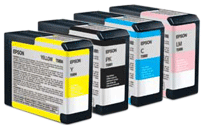
The primary issue is with the pigment particles in the inks settling over time. You can help extend the life of the print cartridges by agitating them periodically. Some of the larger prints have an option to perform this step automatically, but you can do the same thing manually by removing and re-inserting the ink cartridges, giving them a gentle shake in the process.

The general guidelines I've seen on most inks suggest they should not sit unopened for more than about a year or so, and they should be replaced within six months once they've been installed in the printer. That suggestion is obviously intended to help ensure you're always getting the best results from your printer, but you can still get very good results beyond that timeframe.
In your case I would be perfectly comfortable leaving the current cartridges installed, but keeping an eye on the output and checking for nozzle clogs a bit more frequently. If you start to see more frequent nozzle clogging or problems with the accuracy of colors in your prints, I would replace the cartridges at that point.

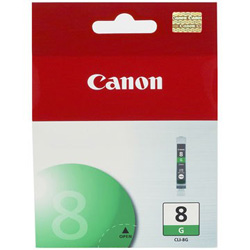
Order your Epson or Canon inks from Red River Paper at great prices. Inks are in-stock and ready to ship immediately. Click to shop for inks


Become an "Ask Tim Grey" Member

The Ask Tim Grey eNewsletter is free to receive, but paid Ask Tim Grey Members receive special benefits, including:

  • Discounts on all purchases made through the Tim Grey online store
  • Opportunity to submit questions to be considered for inclusion in the Ask Tim Grey eNewsletter.
  • Discounts and special offers available only to Members.
  • Access to the full archive of previous emails (going back over eight years) with search capability.
  • The knowledge you are supporting this valuable service.

Details on becoming a member can be found here


Pounds to GSM Weight Conversion Chart

Use this handy chart below to compare inkjet paper weight in pounds to the metric "grams per square meter" measurement. A more "worldwide" unit of measure, GSM is an easy way to quickly compare the weight (density) of papers.

Please note that while weight and thickness are related, you should not use the weight to assume thickness. Check both data points when deciding on an inkjet paper to purchase.

Click for the pound weight to gsm weight conversion chart

Photo Links from the Around the Web
Powered by Imaging Insider

Photographer stages first exhibition… aged 90 (Amateur Photographer)

HOW TO: Give Your Photos a Vintage Look (Mashable)

Correcting and Preventing Chromatic Aberration (Photography Tutorials)

Depth of Field in Macro Photography (Tips from the Top Floor - Audio)

52 Tips for Fabulous Food Photography (Photography Collages)

The Complete Guide For Photographing Live Insects At Home (DIYPhotography)

Digitize Your Old Film Strips with a DIY Negative Duplicator [DIY] (Life Hacker)

10 Landscape Composition Tips: Illustrated with Pictures from Eastern Washington (DPS)

New Epson Complete Guide To Digital Printing (YourPhotoTips)


These great information and news links provided courtesy of Imaginginsider.com - the news source of imaging professionals.

Write Your Own Red River Paper Review

We're asking customers to share their thoughts and write product reviews for Red River's paper products. The reviews system is up and running at here. Just pick the paper you wish to review and get started!

Red River Paper Product Reviews

Contribute yours today - Click here

TM and copyright © 2010 Red River Paper Inc. 8330 Directors Row Dallas, TX 75247

Order Ph: 888.248.8774 Fax: 214.637.0016 www.redriverpaper.com
This e-mail message was sent to members of the Inkjetter Email Newsletter and comes via subscription only. If you no longer wish to receive commercial emails from Red River Paper see below.
UNSUBSCRIBE: This email was sent to %email%
%unsubscribe%

%tracker%