Inkjet printers by default slightly expand your image when printing borderless. This is to make sure that ink extends past the borders. But did you know you can control the expansion amount and in some cases turn it off totally? Well here is a short look at the controls on your printer. Break out your printer manual and read up on the feature as well.
Windows Guide (Click for Mac)
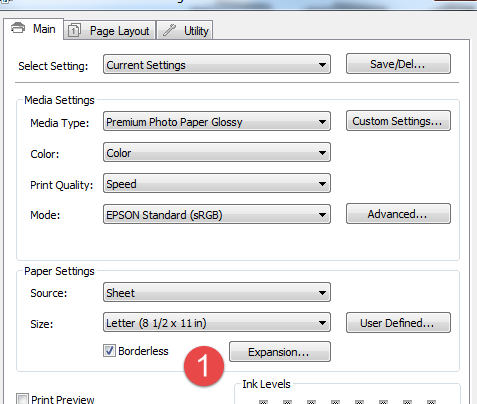
Epson Borderless Expansion Windows
Click the Borderless check box first, then click the Size drop down menu. You will see all sizes that can be printed without borders.
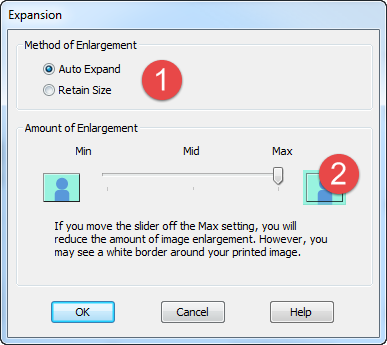
Borderless Expansion Dialog
1 - Auto Expand vs. Retain Size. Auto expand slightly stretches your image edges to ensure you get a borderless print. Retain size locks your image size and in some cases may result in small white borders on one or more sides of an image.
2 - You can adjust the amount of auto expansion using the slider.
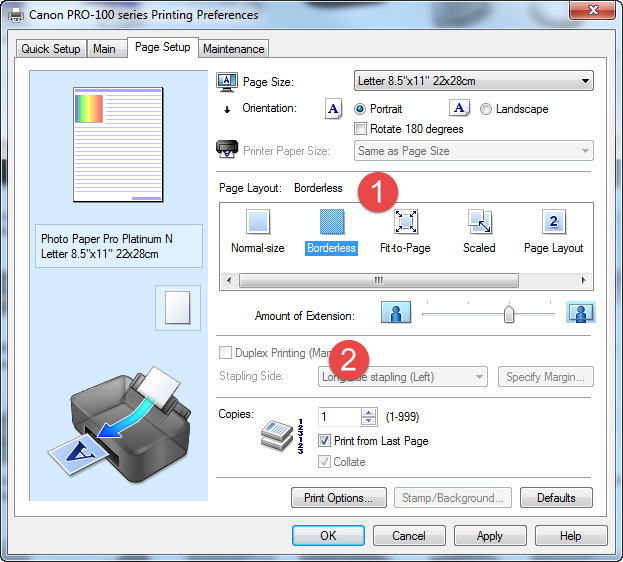
Canon Borderless Expansion Windows
1 - Click Borderless in the Page Layout section. Click the Paper Size drop down menu to see what borderless sizes your printer can print.
2 - You can adjust the amount of auto extention using the slider. This slightly stretches your image edges to ensure you get a borderless print.
HP Borderless Expansion Windows
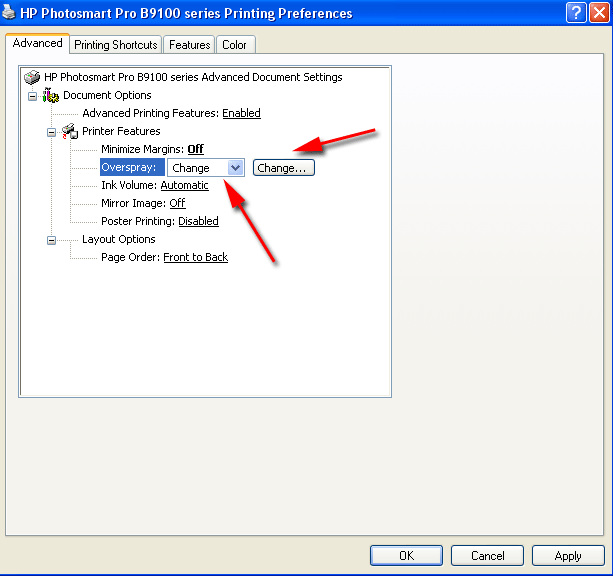
HP calls borderless expansion "Overspray". The function can be adjusted by selecting Change and clicking the Change button.
Mac Guide to Inkjet Borderless Expansion
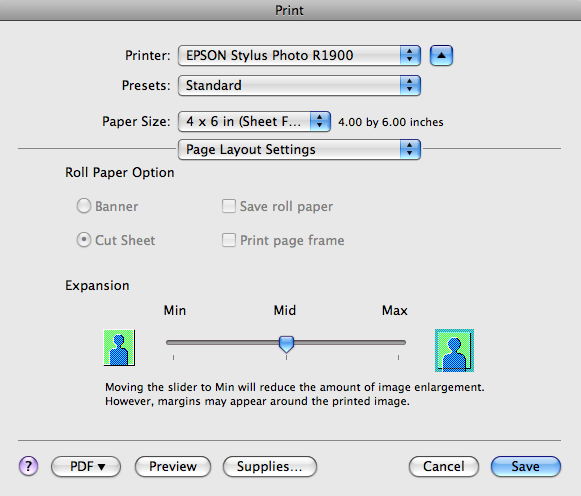
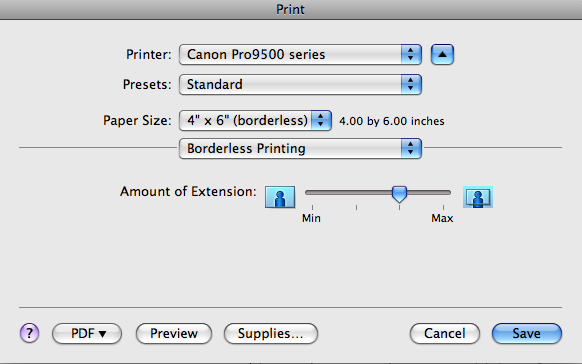
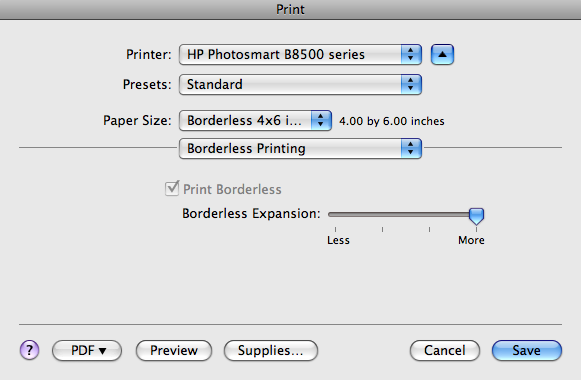
Different versions of the OS can make the following dialogs look slightly different or even be in a different location. If you do not see the expansion controls in the Print dialog try looking in the System Extensions > Printers and Faxes dialog.
Note: Before these controls will be active, you must choose a borderless paper size from the Paper Size drop down menu.
Epson Borderless Expansion Mac
Canon Borderless Expansion Mac
HP Borderless Expansion Mac
Related Posts and Information
Last updated: October 12, 2024


