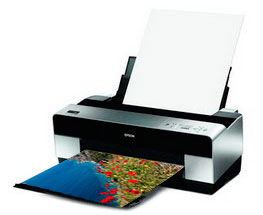
Download free printer color ICC profiles for the Epson Stylus Pro 3880 for Red River Paper brand inkjet papers. Red River Paper offers the finest inkjet media in the sizes you need. Sourced from the best mills and coaters, Red River Paper offers you the same quality or better than the big-name brands.
Each link will download a zipped file with the profile and instructions file.
Red River Paper fully supports the Epson 3880 with profiles and a full range of photo & fine art inkjet papers.
Profile Support
How to Install Profiles - Windows
How to Install Profiles - Mac
How to Use Profiles
More Profile Support
All Profile Download
Profiles for the Epson 3880 are available as a single download.
Click here to Download All Epson 3880 Profiles
Updated August 21, 2025 to include our new Trinity River Velvet
Below is a listing of all profiles that come with the download.
Photo Papers
- Polar Gloss Metallic 255 / Polar Luster Metallic 255
- 68lb. UltraPro Gloss 2.0
- UltraPro Luster 300
- 68lb. UltraPro Satin 4.0
- 66lb. Palo Duro Satin
- 75lb. Arctic Polar Luster
- 50lb. Arctic Polar Luster Double-sided
- Pecos River Gloss - For all weights
Matte Papers
- Polar Matte Papers - For all weights
- Premium Matte Papers - For all weights
- 60lb. River Linen 2.0
- Paper Canvas 230
Fine Photographic Art Papers
- Big Bend Baryta 310
- Palo Duro Baryta Fiber 300
- Palo Duro Smooth Rag 310
- Palo Duro Etching 315
- Palo Duro SoftGloss Rag
- Aurora Art White
- Aurora Art Natural
- Blanco Matte Canvas
- Blanco Satin Canvas
- Baram Hanji
- Noori Hanji
- Trinity River Velvet
Discontinued Papers
- San Gabriel Baryta SemiGloss 2.0
- San Gabriel Baryta Fiber - Use Palo Duro Baryta profile
- 80lb. RR Luster Card Duo
- 66lb. Arctic Polar Gloss
- 68lb. UltraPro Satin 3.0
- 68lb. UltraPro Satin 2.0
- 72lb. GreenPix Matte
- 45lb. Zeppelin SemiGloss Double-sided MK Ink
- 45lb. Zeppelin SemiGloss Double-sided PK Ink
In some cases black density may be better with MK than PK ink. Your results will vary depending on the content of your images.
About Red River Color Profiles
ICC color printer profiles are useful for getting consistent and accurate inkjet prints. While using a profile adds steps to your printing workflow, the end result will be less wasted ink and paper and less stress on your part.
Related Posts and Information
Last updated: August 21, 2025


