Graphic designers and ad firms often need to print designs, comps, and layouts to share with clients and peers. There are a wide number of inkjet printers that can accomplish the task. However, a select few are truly best for graphic designers.
The best inkjet printers for graphic design ideally should:
- Be able to print 13x19 and smaller
- Accept light, heavy, and double-sided papers easily
- Have individual ink tanks (4 to 8 colors)
- Be affordable to purchase and operate
- Ideally use dye inks
The reason we're advocating for dye inks in your printer is that they work with virtually all coated inkjet photo paper. They also are much more able to withstand handling and resist ink smudging in a portfolio or book environment. Finally, graphic design projects are transient in nature, which means you probably don't need the long term fade resistance of pigment based inks.
Find the Best Inkjet Papers for GRAPHIC DESIGN: Best inkjet papers for graphic design applications
With the parameters set, let's take a look at current suggestions. We've included printers from Epson and Canon. HP is not included because the front paper feed design precludes them from using many popular heavy weight papers.
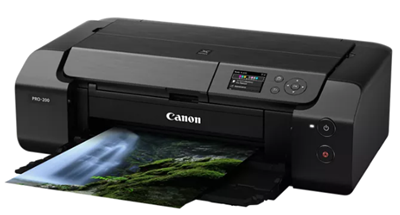
Canon Pro-200S
About the Printer
- Speed - You can expect excellent speed with design and photo prints
- Very reliable paper feed system
- 13" wide printer carriage.
- Supports various types of media from 4"x6" to 13"x19"
- Connectivity - USB 2.0, ethernet, wireless
- Eight individual inks
Notes
The PRO-200 has the most inks out of our list at eight individual tanks. This Canon printer is built for lots of use. Canon's use thermal print heads which will last years, but can be replaced by you if need be.
A big plus with Canon dye-based printers is that they almost never experience head clogging. Read our complete Canon Pro-200S Printer Review and Insiders Guide.
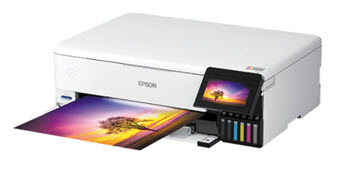
Epson ET-8550
About the Printer
- Speed - Moderate speed when printing photos and designs
- Excellent color quality - ICC profiles available
- Acceptable paper feed system - do not expect it to feed heavy cardstock consistently
- 13" wide printer carriage.
- Six color - Epson's top of the line dye ink system
Notes
The ET-8550 is a "tank-fed" printer. This means a very low cost of operation, as ink bottles cost about 70% less than ink cartridges.
Be sure to read the ET-8550 Insiders Guide and Five Things You Need to Know about the Epson ET-8550
NOTE: There is an 8.5" wide version of this printer called the ET-8500
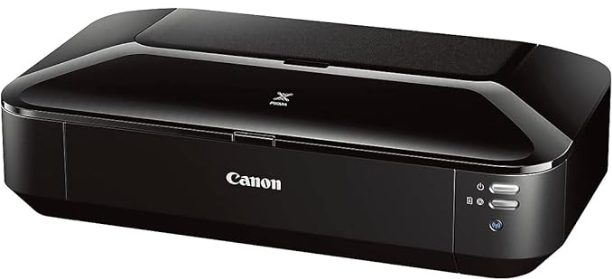
Canon Pixma iX6820
About the Printer
- Speed - You can expect excellent speed with design and photo prints
- Good color quality - recommended that you use ICC profiles for the best possible output
- Very reliable paper feed system
- 13" wide printer carriage
- Supports various types of media from 4"x6" to 13"x19"
- Four color - four ink tanks plus an extra black for text printing jobs
Notes
The iX6820 is a high-quality and economical choice. Canon printers feature robust feed systems that can accommodate a wide range of media, including glossy, matte, card stock, and double-sided materials.
Using just five colors (most photo inkjet printers use 6+) actually makes for more realistic prints that will be closer to press output.
A big plus with Canon dye-based printers is that they almost never experience head clogging. Read our brief Canon Pixma iX6820 Overview.
Epson XP-15000
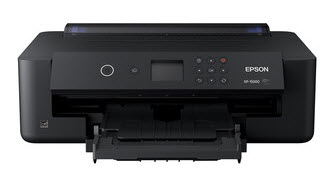
About the Printer
- Top quality photo printing capability
- Good paper feed system
- 13" wide printer carriage.
- Supports various types of media from 4"x6" to 13"x19"
- Connectivity - USB 2.0
- Six individual ink tanks
Notes
The XP-15000 is capable of printing high quality photography and design layouts. It uses six individual, dye based ink tanks
The Epson XP-15000 is compatible with most types of inkjet paper. The top rear paper tray can feed one sheet at a time. It is okay, but not great, for cotton and matte paper with a thickness above 15 mil or 285 gsm.
Related Posts and Information
Last updated: December 26, 2025


