If you use your printer often, and especially if you use 2-sided inkjet papers, proper maintenance of the feed rollers is important. Paper leaves behind dust as it runs through your printer. 2-sided papers leave inkjet coating behind, which can be slick. You will eventually notice inconsistent feeding or sometimes your printer will not feed at all.
Also, ink overspray can build up on the rollers below the print head. This results in black streaks, usually on the back of your paper.
Follow the steps below and any feed or streaking issues should disappear.
NOTE! Red River Paper assumes no liability if you follow these cleaning steps. If you are careless in cleaning your printer, damage could occur. We have been cleaning our printers in this manner for 7 years with no problems to date.
What you will need:
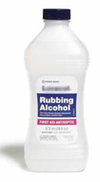
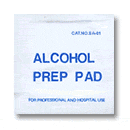
First, look down the feed tray of your printer - see image below.
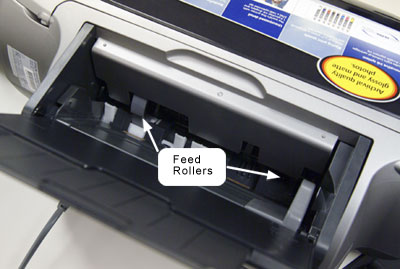
Canon printer note!
Because Canon printers do not have an on demand paper feed button, you will not be able to reach the entire roller.
When running the alcohol soaked sheet through, you will have to make a print - we suggest a text document with only one line or character.
If you put your fingers in the feed path, you will feel rubber coated rollers. Take your alcohol swab and hold it on a roller with your finger. Now, push the paper feed button on your printer - the rollers will move. Don't be alarmed if your finger gets tugged a bit. It will NOT get pulled into the mechanism! Cycle the paper feed a few times and make sure you clean each roller.
If you are having trouble with ink streaks on your paper, try this:
Take an 8.5x11 sheet of plain paper. Soak the interior of the sheet with rubbing alcohol, leaving all four edges completely dry. Run this sheet through your printer 2-3 times front and back. This will clean all of the internal rollers of debris and any ink.
Finally
Use canned air to blow any remaining dust and debris from the print feed path and inside the printer. Be gentle with the air and do not get it too close to any delicate parts.
Red River now sells cleaning sheets and packs that make this process easier and quicker.
Good luck!
Related Posts and Information
Last updated: October 18, 2019


