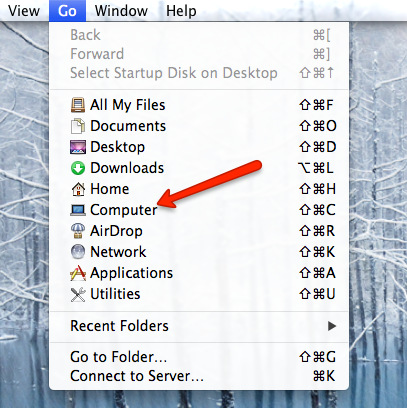
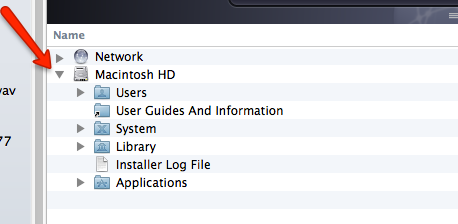
This brings up the finder showing your Macintosh HD. This is your
main hard drive. Click the triangle to reveal and contents of the HD.
Locate the Library folder and click the triangle to reveal its contents.
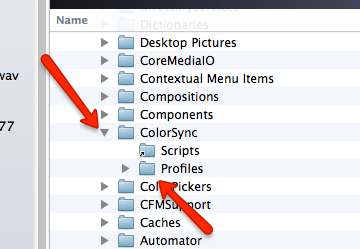
Locate the ColorSync folder and click the triangle to reveal its contents.
Inside the ColorSync folder you will find a folder labeled Profiles. Double click it to open a folder window.
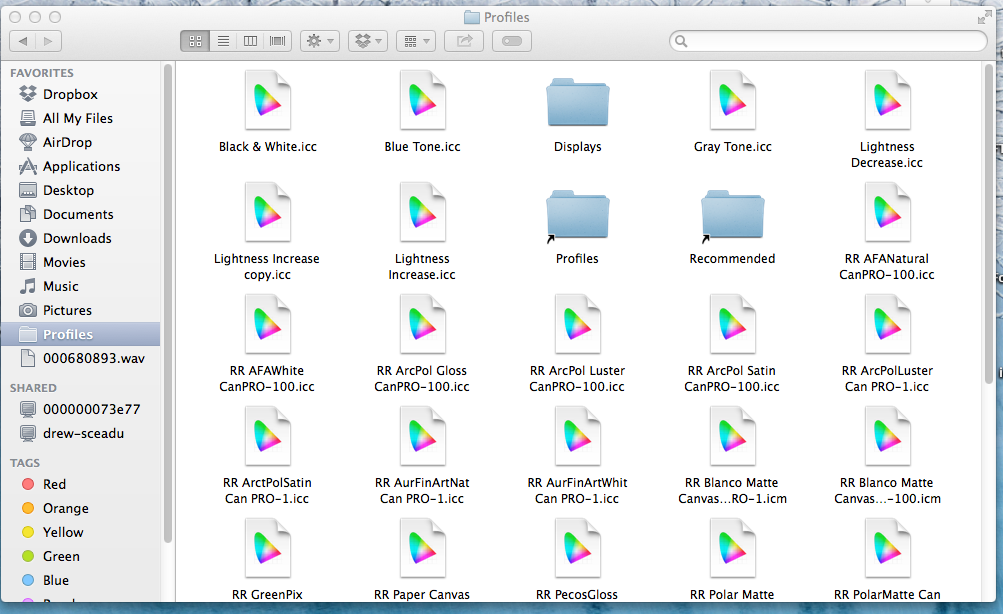
Below is the Profile folder opened in a finder window. You should see a variety of profiles already here. They are files that end in .ICC or .ICM. They will have the colorful icon you see below.
Leaving this window open, locate the file you downloaded from our
profile library. Copy and paste the profile from there to the Profiles folder as seen above.
Copy
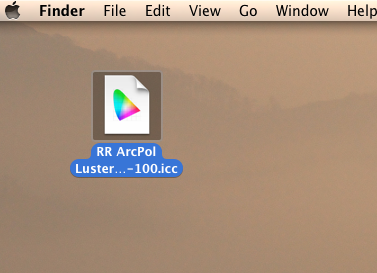
Single click a file. That will highlight it as seen below.
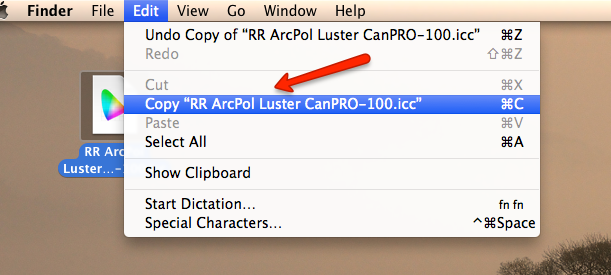
Next, go to the Edit menu and select Copy as seen below.
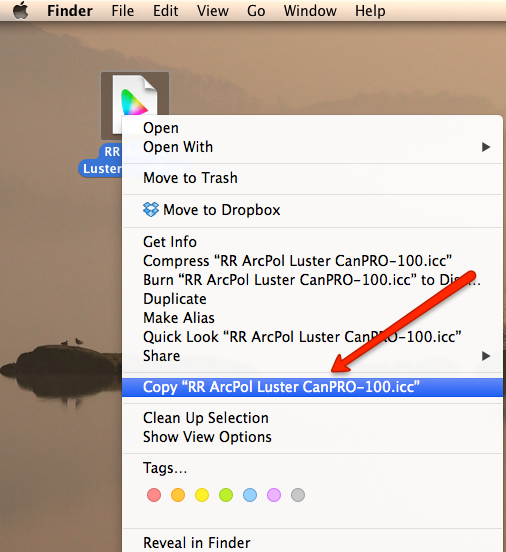
Copy - An Alternative Method
Control+click or right click the file you want to copy. The right-click menu will appear. Choose the copy function as seen below.
Paste
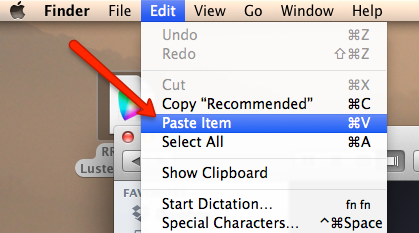
Go back to the still open Profiles folder. With the finder window highlighted, go to the Edit menu and choose Paste Item. That will paste the profile into the profiles folder.
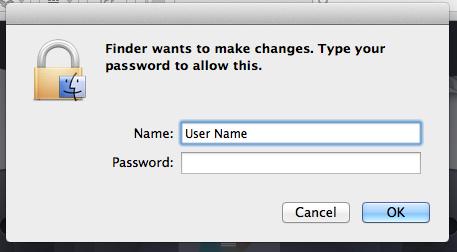
You may see the dialog below. This is the admin authentication. Just enter your admin password to complete the paste process.
Related Posts and Information
Last updated: November 06, 2024
WHAT CUSTOMERS SAY ABOUT US
Very Fine photo printing paper & Superb Service!
I have only been a customer at Red River Paper for about 3 months, but my experience has continued to be exceptionally fine. The paper selection, sizes, and surface finish is excellent, the quality VERY fine, and the prices fair. The Web site is reasonably easy to navigate, checkout easy, and shipping is prompt and packaged nicely. Overall, Red River has offered a superb experience with quality products and exceptional customer service. I'll be back.
Papers with the Archival designtation can take many forms. They can be glossy, matte, canvas, or an artistic product. These papers are acid free, lignin free and can be made of virgin tree fiber (alpha cellulose) or 25-100% cotton rag. They are likely to have optical or fluorescent brightening agents (OBAs) - chemicals that make the paper appear brighter white. Presence of OBAs does not indicate your image will fade faster. It does predict a slow change in the white point of your paper, especially if it is displayed without UV filter glass or acrylic.
Archival Grade Summary
Numerous papers - made from tree or cotton content
Acid and lignin free base stock
Inkjet coating layer acid free
Can have OBAs in the base or the coating
Museum Grade Paper
Papers with the museum designation make curators happy. They are made from 100% cotton rag content and have no optical brightener content. (OBA) The base stock is acid and lignin free. The coating is acid free. This type of offers the most archival option in terms of media stability over time.
Museum Grade Summary
100% cotton rag content
Acid and lignin free base stock
Inkjet coating layer acid free
No OBA content
Photographic Grade Paper
Photo Grade products are designed to look and feel like modern photo lab paper. Most photo grade media are resin coated, which means they have a paper core covered by a thin layer of polyethelene (plastic) . Plastic gives the paper its photo feel, stability (flatness), water resistance, handling resistance, and excellent feed consistency.
Prints on photo grade media are stable over long periods. With pigment inks in a protected environment, you can see up to 80 years on-display life. All RC papers are Photo Grade for two reasons. Plastic content is not technically archival by museum standards. Also, the inkjet coating of all RC papers is slightly acidic. It facilitates instant drying and does not actually change the stability of your inks over time. Virtually all RC papers have optical brightening agents (OBAs).