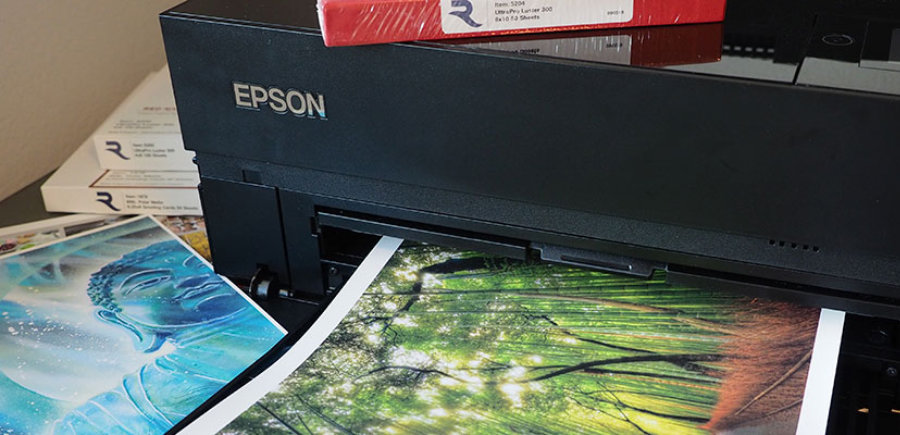
Shop By Printer Model
Red River Paper photo papers are tested and are guaranteed to work with Epson, Canon, HP, and other inkjet printer models.
What type of printer do you use?
Best Papers for the Epson Stylus Pro 3800
The Epson Pro 3800 was Epson's first groundbreaking 17" wide desktop model. The combination of print quality, fade resistance, size capability and print economy were unmatched. It introduced a generation of photographers and artists to the possibilities of professional quality printing.
Red River Paper supports the Stylus Photo 3800 with printer profiles, subject matter expertise and a wide range of papers to make your printing experience the best it can be. Here are some of the best options: Polar Gloss Metallic, UltraPro Satin, UltraPro Gloss, Polar Matte and Palo Euro Etching 315. You can learn more about each paper below.
Unmatched Sheet Size Options
The 3800 can print on sheets and Red River Paper has many of them available including 4x6, 5x7, 8x10, 13x19, 17x22 and the RRP exclusive 17x25 size! You'll find all of our available photo paper size options here.
We're happy to answer any questions you have about our products for your next project or the Epson Stylus Photo 3800. Contact us today!
Top Recommended Papers for The Epson Stylus Pro 3800
While all of the papers on this page are an excellent choice for your printer, these few are definite winners that will make you happy and will work well for many projects.
Download Printer Profiles for Epson Stylus Pro 3800
Most discussed and rated paper for the Epson Stylus Pro 3800: Polar Gloss Metallic 255Best Satin for the Epson Stylus Pro 3800: UltraPro Satin 270
Best Glossy for the Epson Stylus Pro 3800: UltraPro Gloss 270
Best Matte for the Epson Stylus Pro 3800: Polar Matte 230
Best Fine Art for Epson Stylus Pro 3800: Palo Duro Etching 315
Make Your Own Custom Sample Kit
Discover the Red River Paper Difference
RR rewardsSM
GET PAID BACK FOR USING OUR PRODUCTS
Orders mean points and points mean savings on future orders. Redeem points any time you like or save them up over a year for even bigger rewards.
Start EarningSAFEtripSM
PERFECT CONDITION EVERY TIME
No more bad packaging or slow customer care. Should something happen, Red River Paper promises to make things right - fast.
Learn MoreWATERSHEDcollectionTM
PAPERS FOUND NOWHERE ELSE IN THE WORLD
Choose from our extensive collectlon of expertly selected products from high quality paper mills around the world.
Shop NowPROservicesSM
SERVING THE PROFESSIONAL COMMUNITY SINCE 1997
Custom Cutting Service, Special Volume Pricing and More!
Learn More


Red River Paper Inc. All contents © 1997 - 2026. 8900 Ambassador Row, Dallas Texas, 75247. Prices, specifications, and images are subject to change without notice. Not responsible for typographical or illustrative errors. Website Terms & Conditions | Acceptable Use
Site Development & Maintenance: Phosphor Media, LLC