Different Types of Printers Guide (2025)
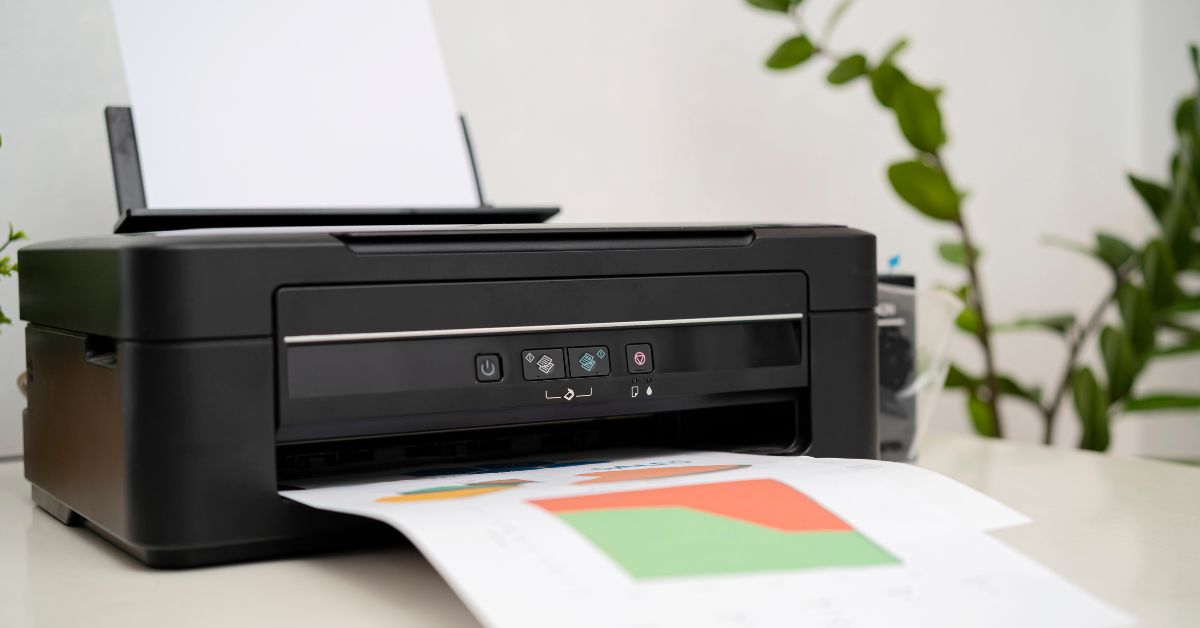
Different types of printers exist for nearly every budget and purpose today. From the home office setup to large corporate environments, finding the right printer can significantly impact your productivity and printing costs.
What Are the Most Common Types of Printers?
- Inkjet Printers
- Laser Printers
- All-In-One Printers
- Supertank Printers
- 3D Printers
- DOT Matrix Printers
- Dye-Sublimation Printers
- LED Printers
Key Takeaways
Understanding the eight main printer types helps you make informed purchasing decisions based on your specific needs, budget, and printing volume requirements.
- Match printer type to usage: Inkjet for home/photo printing, laser for high-volume offices, all-in-one for space efficiency, and supertank for cost-conscious heavy users.
- Consider total cost of ownership: While inkjet printers cost less upfront, supertank models save 90% on ink costs for high-volume printing over time.
- Evaluate speed vs. quality trade-offs: Laser printers deliver 20-40 pages per minute for text documents, while inkjet excels at vibrant color output but prints slower.
- Specialized printers serve niche markets: 3D printers revolutionize manufacturing and prototyping, while dye-sublimation creates durable textile prints that won't fade or peel.
- Factor in connectivity and space requirements: All-in-one printers consolidate multiple functions to save workspace, while modern models offer wireless and mobile printing capabilities.
Beyond these common options, specialized printers serve unique purposes. Laser and LED printers offer reliability and efficiency for high-volume document printing, while 3D printers are revolutionizing industries from product design to healthcare. Understanding these different printer types is essential before making a purchase decision that aligns with your specific needs.
Inkjet Printers
An inkjet printer is a type of printer that works by propelling tiny droplets of ink through microscopic nozzles onto paper or other materials to create text and images. Inkjet printers represent one of the most popular printing technologies for everyday use.
How do inkjet printers function and who uses them?
Inkjet printers spray liquid ink through tiny nozzles to create images and text on various surfaces. They're primarily used by home users, small offices, students, photographers, and artists who need high-quality color output without industrial-level volume. These printers excel at producing vibrant colors and detailed images, making them ideal for photo printing, marketing materials, artistic projects, and documents with complex graphics. Furthermore, inkjet printers can handle a variety of media types, including glossy photo paper, cardstock, fabric, and even transparencies.
Home users appreciate inkjet printers for everyday document printing, while small businesses find them suitable for creating professional-looking materials without investing in expensive equipment. Artists and photographers often choose inkjet printers for their ability to reproduce fine details and accurate colors. For instance, the HP OfficeJet Pro series provides professional-quality prints suitable for small business marketing materials.
What are the advantages and disadvantages of inkjet printers?
Inkjet printers offer several benefits including high-quality output, affordable initial cost, and versatility across different media types. First and foremost, they produce excellent color prints with smooth details, making them perfect for photos and graphics-heavy documents. Most inkjet printers are compact enough to fit easily in home offices or small workspaces.
On the negative side, inkjet printers come with some drawbacks worth considering:
- Higher long-term costs: Though cheaper initially, ink cartridges can be expensive, especially for high-volume printing
- Slower print speeds: Typically averaging 5-15 pages per minute compared to laser printers
- Maintenance requirements: Print heads may clog if not used regularly, requiring cleaning that consumes additional ink
- Durability concerns: Generally less durable than laser printers with potentially shorter lifespans
- Smudging risks: Prints might smudge if handled before fully dry, particularly when using highlighters
Despite these limitations, inkjet technology continues to improve. Many modern models feature self-cleaning routines to prevent printhead clogging. Moreover, high-yield cartridge options can help reduce the total cost of ownership over time.
How do inkjet printers connect to different devices?
Inkjet printers today offer multiple connectivity options that make them compatible with various devices and operating systems. Most contemporary models include USB connections, wireless capabilities (Wi-Fi and Bluetooth), and mobile printing features. These connectivity options allow you to print from computers, smartphones, and tablets without complicated setup procedures.
Many inkjet printers are certified "Works with Chromebook" compatible, ensuring seamless integration with Chrome OS devices. Popular brands like HP, Canon, Epson, and Brother dominate the inkjet market, each offering models with different connectivity features. For example, the HP OfficeJet Pro 7740 provides on-the-go printing with HP ePrint, allowing users to print from any location using mobile devices.
When selecting an inkjet printer, consider your specific connectivity needs. If you frequently print from multiple devices, look for models with robust wireless capabilities and cloud printing support. Conversely, if you primarily print from a single computer, a basic USB connection might suffice.
Read: What Are the Differences Between an Inkjet vs Laser Printer?
Laser Printers
Laser printers operate through a completely different mechanism than other printer types, using electrostatic processes rather than liquid ink. Unlike inkjet printers that spray wet ink directly onto paper, laser printers employ a complex process involving a laser beam, drum, and dry toner powder to create precise images and text.
How do laser printers function and who should use them?
Laser printers work by using a laser beam to draw an electrostatic image on a negatively charged drum, which then collects powdered toner and transfers it to paper where it's heat-fused permanently. This revolutionary technology is ideal for offices, schools, hospitals, and businesses that require high-volume printing with minimal maintenance. Business environments benefit most from laser printers because they produce sharp text documents efficiently and can handle large print volumes without frequent maintenance. Organizations printing hundreds or thousands of pages weekly find laser printers cost-effective, as personal laser printers can handle about 200 pages per week, workgroup printers manage up to 1,000 pages weekly, and production printers can output 50,000+ pages weekly.
The technology serves specific professional needs effectively:
- Business documents, contracts, and legal papers
- High-volume office printing
- Text-heavy materials requiring crisp output
- Professional reports and presentations
What are the advantages and disadvantages of laser printers?
Laser printers offer several distinct benefits over other printer types but also come with certain limitations. First and foremost, laser printers produce exceptionally sharp text and graphics with precise detail, making them superior for professional document printing. Second, they print significantly faster than inkjet printers, especially for large volume jobs.
Advantages:
- Higher print speed (20-40 pages per minute)
- Lower cost per page for high-volume printing
- Smudge-resistant prints that won't run when wet
- More reliable with fewer maintenance issues
- Longer-lasting toner cartridges with higher page yields
- More energy-efficient for high-volume printing
Disadvantages:
- Higher initial purchase price than inkjet printers
- Bulkier and heavier design taking up more space
- Limited ability to produce high-quality photo prints
- Not suitable for specialized media like fabrics or CDs
- Higher energy consumption during operation
- Color laser printers cost more than monochrome models
How fast and efficient are laser printers?
Laser printers outperform most other printer types in terms of speed and efficiency, which makes them valuable for productivity-focused environments. Indeed, laser printers can typically print between 20 to 40 pages per minute for standard models, with high-end commercial units reaching speeds of 75 to 100+ pages per minute. This impressive output rate allows businesses to complete large print jobs quickly without the bottlenecks that slower printers create.
Several factors influence a laser printer's efficiency:
- The printer's internal hardware (processor speed and memory)
- Print resolution settings (higher quality may reduce speed)
- Document complexity (text-only prints faster than graphics)
- Connectivity type (Gigabit Ethernet or modern wireless standards offer faster data transfer)
- Media type being printed on
Laser printers demonstrate remarkable efficiency in both energy usage and toner consumption. Unlike inkjet printers that require frequent ink cartridge replacements, laser toner cartridges typically yield thousands of pages before needing replacement. This higher yield translates to lower cost per page-approximately 3¢ or less for black and white pages and 15¢ or less for color pages using cost-effective toner. In essence, laser printers provide excellent value over time, even though their upfront cost exceeds that of inkjet printers. As a result, they remain the preferred choice for businesses, schools, and anyone with substantial printing requirements.
All-in-one Printers
Among the diverse types of printers available today, all-in-one printers stand out for their remarkable versatility and multifunctionality. Often called multifunction printers (MFPs), these devices combine printing, scanning, copying, and sometimes faxing capabilities into a single compact unit, offering a practical solution for both home and office environments.
What functions and features do all-in-one printers offer?
All-in-one printers provide multiple document management functions including printing, scanning, copying, and frequently faxing in one integrated device. First and foremost, these versatile machines handle traditional printing tasks while enabling users to create digital copies of physical documents through built-in scanners. Beyond basic functionality, many modern all-in-ones include wireless connectivity and mobile printing capabilities, allowing you to print from smartphones and tablets without cables. Notable features in contemporary models include:
- Automatic document feeders (ADFs) for processing multiple pages simultaneously
- Duplex printing and scanning for handling two-sided documents
- Cloud connectivity for accessing services like Google Drive or Dropbox
- Touchscreen displays for intuitive navigation and operation
- Direct printing from USB drives or memory cards
- Security features including password protection and encrypted transmission
Advanced models offer additional capabilities such as integrated NFC tap-to-pair technology, Wi-Fi Direct, and Apple AirPrint compatibility for enhanced mobile printing experiences.
What are the pros and cons of all-in-one printers?
All-in-one printers offer significant advantages alongside certain limitations that should be considered before purchasing. Primarily, they provide exceptional convenience by centralizing multiple functions in one device, eliminating the need to switch between separate machines for different tasks. In terms of benefits, these printers are remarkably cost-effective-while they may have higher initial costs than single-function printers, purchasing one multifunction device is typically much cheaper than buying separate machines for each function.
Advantages:
- Space efficiency through consolidation of multiple devices
- Cost savings on equipment, maintenance, and energy consumption
- Convenience of accessing multiple functions from one interface
- Streamlined workflow and improved productivity
- Simplified IT management with only one device to maintain
Disadvantages:
- Potential performance limitations compared to dedicated machines
- Reliability concerns-if one function fails, it may affect others
- Possibly higher maintenance requirements due to more moving parts
- Some models may lack advanced features found in specialized equipment
- Workflow bottlenecks can occur when multiple users need different functions simultaneously
How do all-in-one printers maximize space efficiency?
All-in-one printers significantly reduce office clutter by combining multiple devices into one compact footprint. Fundamentally, they eliminate the need for separate printers, scanners, copiers, and fax machines that would otherwise occupy valuable workspace. This space-saving design is particularly valuable in small home offices, apartments, or businesses with limited square footage.
The space efficiency extends beyond just physical dimensions. By centralizing document management at a single point, all-in-ones help create more organized work environments with fewer cables, fewer power outlets required, and less visual clutter. Subsequently, this streamlined setup contributes to a more professional-looking office space, which can be especially important for video conference backgrounds in today's remote work environment.
For businesses, the consolidation of multiple functions also means simplified maintenance, with only one machine requiring attention rather than managing multiple devices scattered throughout an office. Accordingly, this integration helps maximize limited space while keeping work areas tidy and improving overall office organization.
Supertank Printers
Supertank printers represent an innovation in printing technology designed specifically to address the high cost of replacement ink cartridges. Pioneered by Epson in 2015 with their EcoTank line, these printers use refillable ink reservoirs instead of disposable cartridges, followed by Canon's MegaTank in 2016 and HP's Smart Tank in 2019.
How do supertank printers function and who should use them?
What makes supertank printers different from traditional models? Supertank printers feature large, refillable ink reservoirs that hold substantially more ink than standard cartridges. These high-capacity tanks can print thousands of pages before requiring a refill, making them ideal for users with high-volume printing needs such as small businesses, home offices with heavy printing requirements, and educational institutions. For instance, HP's Smart Tank printers hold 80ml of ink in each tank compared to standard cartridges containing around 8ml-approximately ten times more capacity.
Small businesses benefit most from these printers when printing marketing materials, reports, and everyday documents. Correspondingly, home offices with substantial document output find the reduced frequency of ink replacement particularly advantageous. In fact, HP estimates that one full set of tanks will support printing for up to two years-approximately 8,000 color pages and 6,000 monochrome pages.
Why are supertank printers considered cost-efficient?
How do supertank printers save money in the long run? While supertank printers typically cost more upfront, they deliver significant savings over time through dramatically reduced ink costs. The typical user printing about 35 pages per month starts saving money after approximately two years of use. After two-and-a-half years, they become cheaper to own and operate than virtually every other printer on the market.
The economics become even more favorable for heavy users. Consider this comparison: printing with ink cartridges costs approximately 2.3 cents per page, totaling around $460 for 20,000 pages. In contrast, supertank ink costs merely 0.3 cents per page, resulting in about $60 for the same print volume-a 90% reduction. According to one analysis, a supertank printer pays for itself after printing 20,000 pages or roughly two years when printing an average of 200 documents weekly.
Higher capacity ink bottles help avoid frequent cartridge replacements, with replacement ink bottles up to 90% cheaper than cartridges. As a result, a Canon Pixma G2200 supertank printer would cost approximately $300 in total after four years of use, whereas an Epson Expression ET-2550 would cost around $330 during the same period.
How do supertank printers benefit the environment?
What environmental advantages do supertank printers offer? Supertank printers significantly reduce waste by eliminating the need for numerous plastic cartridges. For printing 15,000 pages, a high-capacity ink tank printer uses just nine ink bottles compared to 364 ink cartridges required by traditional printers-resulting in a 92% reduction in environmental impact from consumables.
The environmental benefits extend beyond waste reduction. As of October 2024, Epson's high-capacity ink tank printers have reached cumulative global sales of 100 million units, mitigating approximately 1.63 million tons of CO2 emissions compared to cartridge printers. Notably, Epson's EcoTank line alone has helped reduce millions of pounds of plastic from landfills.
Many supertank printers incorporate additional eco-friendly features including automatic two-sided printing to reduce paper consumption. Furthermore, these printers often consume less energy than comparable laser printers. For example, the WorkForce Pro WF-C5790 uses up to 75% less power than comparable color laser printers.
3D Printers
Unlike conventional printers that produce flat images on paper, 3D printers create physical objects layer by layer using additive manufacturing technology. This revolutionary printer type transforms digital designs into three-dimensional objects by building them incrementally, one thin layer at a time.
How do 3D printers function and where are they applied?
How do 3D printers create physical objects and which industries benefit most from this technology? 3D printers work by converting a digital 3D model into a set of computer-generated instructions to incrementally build up a part layer by layer. These versatile machines have found applications across numerous industries, with healthcare being one of the fastest-growing adopters for creating medical devices, prosthetics, and surgical planning models.
Other major applications include:
- Industrial manufacturing: Production tools, jigs, fixtures, and functional end-use parts
- Aerospace and automotive: Prototypes and lightweight components that reduce fuel consumption
- Education: Teaching aids and models that boost student learning and creativity
- Consumer products: Customized eyewear, footwear, and furniture
- Architecture: Scale models and maquettes for visualizing designs
The ability to rapidly prototype designs makes 3D printing particularly valuable for product development teams, potentially cutting weeks from development time while reducing costs.
What materials and technologies do 3D printers use?
What materials can 3D printers use and what are the primary printing technologies? 3D printers work with various materials including plastics, metals, resins, and even specialized substances like carbon fiber or wood-infused filaments. The technology operates through several distinct methods, with three main approaches dominating the market.
Fused Deposition Modeling (FDM) is the most common and affordable technology, where plastic filament is melted through a heated nozzle and deposited layer by layer. Alternatively, Stereolithography (SLA) utilizes a laser to cure liquid photopolymer resin into solid objects, producing higher detail but at increased cost. Selective Laser Sintering (SLS) represents a third approach, using a powerful laser to fuse small particles of powder materials like plastics or metals.
What are the advantages and disadvantages of 3D printers?
What benefits do 3D printers offer and what limitations should you consider? 3D printers excel at creating complex geometries that would be impossible with traditional manufacturing methods, alongside providing cost-effective customization and rapid prototyping capabilities. They can reduce waste by using only the material needed for a part and eliminate the need for expensive molds or tooling.
Nevertheless, 3D printers have several drawbacks to consider. Most consumer models have limited build volumes, restricting the size of printable objects. Print speed remains relatively slow, with complex objects taking hours or even days to complete. Additionally, 3D printed parts may show anisotropic properties, meaning they can be weaker along certain axes.
Other limitations include material restrictions, as not all materials can be temperature-controlled enough for 3D printing. Furthermore, most printed objects require some form of post-processing to achieve the desired finish.
Dot Matrix Printers
Dot matrix printers stand as one of the earliest computer printing technologies that surprisingly remain relevant in specific industries today. These impact printers create characters by striking pins against an ink-soaked ribbon to form patterns of dots on paper, representing a different approach from modern printing technologies.
How do dot matrix printers function and where are they used?
Dot matrix printers operate by using a print head containing small pins (typically 9 or 24) that strike an ink-soaked ribbon against paper to form characters and graphics. The pins extend and retract rapidly, creating patterns of dots that form letters, numbers, and simple graphics. Primarily, these printers serve specific industries requiring multipart forms with carbon copies, such as banking, logistics, manufacturing, and retail where physical document copies are essential. They're frequently used in environments where durability matters more than print quality-airports, car dealerships, hospitals, and warehouses often rely on dot matrix printers for invoices, shipping labels, and receipts.
Why are dot matrix printers known for durability and cost-effectiveness?
Dot matrix printers offer exceptional longevity and resilience compared to other printer types. With proper maintenance, these machines can function reliably for many years, often outlasting the systems they connect to. Above all, they withstand harsh industrial environments with dust, heat, and humidity that would damage more sensitive printers. From a financial perspective, dot matrix printers provide significant cost advantages-although initial purchase costs may be higher than other printer types, the cost per page is typically six times lower than laser printers. This savings comes from inexpensive consumables like ribbons that fade gradually rather than stopping suddenly, providing ample notice before replacement.
What limitations make dot matrix printers less common today?
Dot matrix printers face several significant drawbacks that have reduced their popularity in modern offices. Firstly, they produce substantially lower print quality compared to inkjet and laser printers, making them unsuitable for high-resolution graphics or marketing materials. Secondly, these printers generate considerable noise during operation, making them disruptive in quiet office environments. Furthermore, they print relatively slowly compared to modern alternatives, limiting their usefulness for high-volume printing tasks. Since most models only support monochrome printing with limited font options, they cannot meet modern color printing demands. Consequently, as digital forms and email have replaced carbon-copy documentation, the unique advantages of dot matrix printers have become less relevant for most users.
Dye-Sublimation Printers
Dye-sublimation printers offer a distinctive approach to printing that sets them apart from conventional printing technologies. These specialized devices use heat to transform solid dye particles directly into gas without passing through a liquid state, permanently embedding vibrant images into materials.
How do dye-sublimation printers function and where are they used?
How exactly does the dye-sublimation process work and which industries benefit most from this technology? Dye-sublimation printers use colored liquid ink sprayed through nozzles onto special transfer paper. Under high temperature (typically 350°F-400°F) and pressure, the ink transforms from solid to gas, permeating and embedding into the fibers of the receiving material. The process involves printing the design onto transfer paper first, then applying heat to transform the ink into gas that penetrates the substrate, becoming part of the material itself as it cools.
This technology excels in producing customized apparel, promotional items, and specialty products. The textile industry widely employs dye-sublimation for creating sportswear, fashion items, and home décor. Plus, photography studios utilize it for producing high-quality photo prints with exceptional color reproduction. Other common applications include personalized gifts, ceramic items, smartphone cases, and advertising materials.
What makes dye-sublimation print quality superior?
Why do professionals choose dye-sublimation for high-quality prints? Dye-sublimation creates exceptionally vibrant and permanent colors with smooth gradations. The printing method produces continuous tones similar to traditional photography, where each dot can be a different color-resulting in images with amazing color fidelity even under microscopic examination. Hence, the technology delivers edge-to-edge prints with superior UV resistance and excellent wash fastness.
What are the advantages and disadvantages of dye-sublimation printers?
What benefits do dye-sublimation printers offer alongside their limitations? Dye-sublimation provides remarkable durability as the ink becomes part of the substrate's structure, making prints resistant to fading, cracking, and peeling. Likewise, prints are completely dry and ready to handle immediately after printing. The technology creates seamless, smooth-to-touch images with no texture.
Regarding drawbacks, dye-sublimation works primarily with polyester fabrics or specially coated surfaces, limiting material compatibility. Furthermore, the process requires white or light-colored surfaces, as it cannot print effectively on dark backgrounds. Initial costs tend to be higher due to specialized equipment requirements, yet high-volume printing can offset this expense over time.
LED Printers
LED printers represent an alternative to traditional laser technology, using arrays of light-emitting diodes instead of lasers to create images. As one of the less commonly known types of printers, these devices offer unique advantages while functioning similarly to their laser counterparts in many respects.
How do LED printers function and what technology do they use?
How exactly do LED printers work to create images on paper? LED printers use a strip of light-emitting diodes to create a negative static charge on a photoreceptive drum, which then attracts toner powder to form images. In essence, while laser printers use a single laser beam and moving mirrors to draw images on the drum one dot at a time, LED printers employ a stationary array of tiny LEDs that create entire lines of dots simultaneously. This fundamental difference in image creation leads to a simpler mechanical design with fewer moving parts.
What are the advantages and disadvantages of LED printers?
What makes LED printers worth considering over other printer types? LED printers feature several compelling benefits, primarily their compact size and quieter operation due to fewer moving parts. In addition to these advantages, they typically consume less power-some models use up to 35% less energy than comparable laser printers. Meanwhile, they offer fast printing speeds and consistent print quality, making them suitable for both home and office environments.
What limitations should you be aware of when considering LED printers? Potential drawbacks include limited paper type compatibility, as they cannot print effectively on glossy photo paper. Plus, some models may exhibit slightly uneven light distribution across pages due to minute differences between individual LEDs, potentially affecting color accuracy or resolution. Ultimately, while ideal for text documents, they're not typically recommended for high-quality image printing.
How reliable and efficient are LED printers?
Why might you choose an LED printer for long-term use? LED printers tend to be more reliable as their simplified design minimizes mechanical failures. Many models feature drums and fuser units designed to last the lifetime of the printer, minimizing maintenance requirements. As a consequence of their design, they offer rapid printing speeds-some models producing up to 65 pages per minute. Their enhanced reliability stems from having fewer moving components that could potentially break through regular use.
Comparison Table
|
Printer Type |
Primary Use Cases |
Key Technology/Function |
Main Advantages |
Main Disadvantages |
Print Speed |
Cost Considerations |
|
Inkjet |
Home users, small offices, photographers, artists |
Sprays liquid ink through tiny nozzles |
High-quality color output, versatile media handling |
Higher long-term costs, maintenance needs |
5-15 pages/min |
Lower initial cost, expensive cartridges |
|
Laser |
Offices, schools, high-volume business printing |
Uses laser beam and toner powder |
Fast printing, reliable, smudge-resistant |
Higher initial cost, bulky design |
20-40 pages/min |
Higher upfront cost, lower cost per page |
|
All-in-One |
Home/office environments needing multiple functions |
Combines printing, scanning, copying, faxing |
Space efficiency, cost savings on multiple devices |
Performance limitations, workflow bottlenecks |
Not mentioned |
Higher initial cost than single-function |
|
Supertank |
High-volume home/business printing |
Uses refillable ink reservoirs |
Very low running costs, high capacity |
Higher upfront cost |
Not mentioned |
90% lower cost per page vs cartridges |
|
3D |
Manufacturing, healthcare, education |
Builds objects layer by layer |
Complex geometry creation, customization |
Slow print speed, size limitations |
Hours/days per object |
Not mentioned |
|
Dot Matrix |
Industrial environments, multipart forms |
Impact printing with pins |
Durable, low cost per page |
Low print quality, noisy operation |
Slower than modern printers |
Low operating costs |
|
Dye-Sublimation |
Textiles, photography, promotional items |
Heat-transfers dye into materials |
Vibrant colors, durable prints |
Limited material compatibility |
Not mentioned |
Higher initial costs |
|
LED |
Office environments, text-heavy printing |
Uses LED array instead of laser |
Compact size, energy efficient |
Limited paper compatibility |
Up to 65 pages/min |
Not mentioned |
Conclusion
Choosing the right printer ultimately depends on your specific needs, budget, and intended use. Inkjet printers offer excellent color quality and versatility for home users and photographers, though they require more maintenance and have higher long-term costs. Laser printers, conversely, provide exceptional speed and reliability for high-volume office environments where text-heavy documents are the norm.
All-in-one printers present a practical solution for those with limited space who need scanning, copying, and printing capabilities in one device. Supertank models, while requiring a higher initial investment, deliver remarkable cost savings over time through their refillable ink reservoirs, making them ideal for users with consistent high-volume printing needs.
For specialized applications, 3D printers have transformed manufacturing, healthcare, and education by creating physical objects layer by layer. Dot matrix printers, though seemingly outdated, still serve essential purposes in industrial settings requiring multipart forms. Dye-sublimation technology excels at producing vibrant, durable prints on textiles and promotional items, whereas LED printers offer energy efficiency and reliability for office environments focused on text documents.
Before making your purchase decision, consider these key factors: printing volume, required print quality, media types you'll use, available space, and total cost of ownership including consumables. Additionally, think about connectivity options that will work best with your existing devices.
Undoubtedly, printer technology continues to evolve, with manufacturers constantly improving efficiency, quality, and environmental impact. Yet the fundamental principle remains-different printer types exist to serve different purposes. Therefore, understanding these eight printer categories gives you the knowledge to select the perfect printer that aligns with your specific requirements and budget constraints.
The key to printer selection lies in balancing your printing volume, quality needs, available space, and long-term operating costs rather than focusing solely on initial purchase price.
Original Publication Date: January 02, 2024
Article Last updated: July 10, 2025
Related Posts and Information
Categories
About Photographers
Announcements
Back to Basics
Books and Videos
Cards and Calendars
Commentary
Contests
Displaying Images
Editing for Print
Events
Favorite Photo Locations
Featured Software
Free Stuff
Handy Hardware
How-To-Do-It
Imaging
Inks and Papers
Marketing Images
Monitors
Odds and Ends
Photo Gear and Services
Photo History
Photography
Printer Reviews
Printing
Printing Project Ideas
Red River Paper
Red River Paper Pro
RRP Products
Scanners and Scanning
Success on Paper
Techniques
Techniques
Tips and Tricks
Webinars
Words from the Web
Workshops and Exhibits
all
Archives
September, 2026
August, 2026
July, 2026
June, 2026
May, 2026
April, 2026
March, 2026
February, 2026
January, 2026
more archive dates
archive article list


Red River Paper Inc. All contents © 1997 - 2026. 8900 Ambassador Row, Dallas Texas, 75247. Prices, specifications, and images are subject to change without notice. Not responsible for typographical or illustrative errors. Website Terms & Conditions | Acceptable Use
Site Development & Maintenance: Phosphor Media, LLC